





























Game Information:
| Title | Voxalike |
| Genre | Casual, Party |
| Game Mode | Single-player, Co-op, PvP |
| Platform | Web Browser |
| Main Input | Microphone, Mouse |
| Controls | Mouse: Navigate Menus and Select Scenes; Microphone: Record Dialogue; On-screen Buttons: Record, Replay, Retry |
| Added | Nov 12, 2026 |
Voxalike Game Overview
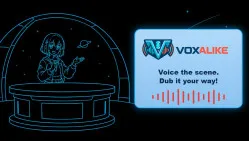
Voxalike is a creative browser game that lets you become the voice behind characters in short video scenes. Instead of watching dialogue unfold, you perform it yourself using a microphone. Try matching a character's original delivery, exaggerate their emotions, or give the scene a completely different personality.
You can practice alone or invite friends to create hilarious performances together. The challenge comes from delivering lines at the right moment while experimenting with tone, timing, and expression. Once the scene is complete, you can watch how your recordings fit together and save the result to share.
From Script to Finished Dub
Getting started involves a few simple steps:
- Choose a Dub Pack: Browse the Workshop, subscribe to a scene, and install it through the Mods menu.
- Check Your Microphone: Run Mic Check in Settings to confirm your voice is being captured clearly.
- Record Your Lines: Watch the scene, listen to the original dialogue, and perform each line before its time window ends.
- Review Your Takes: Replay a recording or try again if you want to improve your delivery.
- Watch the Result: Finish the scene to view your performance and export the available video or audio.
Play Solo or Share the Spotlight
- Single Player: Perform the dialogue yourself and receive feedback on your timing and vocal delivery.
- Co-op: Share character roles with friends to create one collaborative dub.
- PvP: Compete with other players and compare your performances.
- Community Workshop: Discover new scenes and creative dubbing challenges made by other users.
Game Controls
- Mouse: Navigate menus, select scenes, and choose options.
- Left Mouse Button: Activate recording, replay, or retry controls.
- Microphone: Perform and record character dialogue.
Tips for Better Voice Performances
- Use headphones: Prevent the original scene audio from interfering with your recording.
- Check your microphone: Test your input before starting a session.
- Follow the dialogue timing: Begin speaking when the character's line starts.
- Experiment with expression: Change your tone to make familiar scenes feel different.
- Retry difficult lines: Listen to your recording and improve it before continuing.
Voxalike gives you the chance to turn ordinary scenes into your own performances. Pick a character, find your voice, and create a dub worth sharing!