

























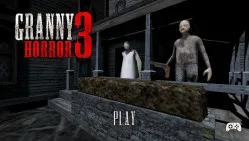





Game Information:
Title | Horror Nun |
Developer | AZGames |
Release Date | Jan 16, 2026 |
Status | Released |
Platforms | Web Browser (Desktop, Tablet, Mobile) |
Genre | Survival Horror, Puzzle |
Game Mode | Single-player |
Perspective | First-person |
Technology | HTML5 |
Controls | WASD / Arrows: Move; Mouse: Look; E / Click: Interact; C / Ctrl: Crouch; Shift: Run; G: Drop Item |
Added | Oct 12, 2026 |
About Horror Nun Game
A summer camp invitation becomes a nightmare in Horror Nun, a first-person survival horror game set inside Eagle Junior High School. You are trapped in a dark, abandoned school controlled by Sister Madeline, a terrifying nun who patrols the building and hunts anyone attempting to escape. Instead of fighting her directly, you must explore classrooms, search for useful items, solve interconnected puzzles, and find a route to freedom. Locked doors, hidden passages, and limited inventory space make exploration increasingly difficult. Every movement carries risk because Sister Madeline can react to noise and discover your location. Escaping requires patience, observation, and careful planning.
Explore the School and Solve Escape Puzzles
Your main objective is to find a way out of Eagle Junior High School without being caught. Explore classrooms, corridors, and other accessible areas to search for keys, tools, clues, and objects needed to escape.
- Explore and unlock new areas: Search rooms for useful items, solve puzzles, and open locked doors to reach previously inaccessible parts of the school.
- Manage your inventory: You can carry only one item at a time, so remember where you leave important objects and return for them when needed.
- Connect clues and solve puzzles: Pay attention to how items and locations relate to one another. An object found in one room may be essential to solving a puzzle elsewhere.
Hide, Stay Quiet, and Avoid Sister Madeline
Sister Madeline is the main threat throughout the game. She patrols the school and can respond to sounds, making careless movement dangerous. Running may help you escape an immediate encounter, but it can also attract attention. Crouching allows you to move more cautiously, while lockers and other hiding places offer temporary protection.
When the nun approaches, avoid remaining in an exposed corridor. Break her line of sight, reach a hiding place, and wait until she moves away before continuing. Sound awareness is especially important. Footsteps and nearby activity can warn you that Sister Madeline is approaching. Listening carefully gives you time to stop searching, abandon a risky interaction, or change your route.
The safest approach is to explore unfamiliar areas slowly and avoid carrying important objects into dangerous situations without a clear escape path.
Horror Nun Controls
PC
- WASD / Arrow Keys: Move.
- Mouse: Look around.
- E / Left Mouse Button: Interact with objects.
- C / Left Ctrl: Crouch.
- Shift: Run.
- G: Drop the carried item.
Mobile
- On-screen Joystick: Move.
- Touch Controls: Look around, interact, crouch, and use available actions.
Tips to Escape the School
- Listen before moving: Check for Sister Madeline's footsteps before entering exposed corridors.
- Remember item locations: Keep track of useful objects because you can carry only one at a time.
- Explore systematically: Search accessible rooms carefully before moving into unfamiliar areas.
- Use hiding places: Break the nun's line of sight instead of relying entirely on running.
- Plan your next move: Identify a safe route before carrying an important item across the school.
Horror Nun turns a school escape into a tense survival challenge where every sound and decision matters. Stay hidden, solve the puzzles, and find your way out before Sister Madeline catches you!